Creating a Knowledge Collection
A knowledge collection groups related sources — articles, files, and websites — that an AI agent will reference when responding to users.
Collections live inside folders. If you have not created a folder yet, do that first, see Managing Knowledge Folders.
Opening a Folder
Navigate to Admin > AI > Knowledge Collections and click the folder in which you want to create the collection. The folder's collection list page appears.
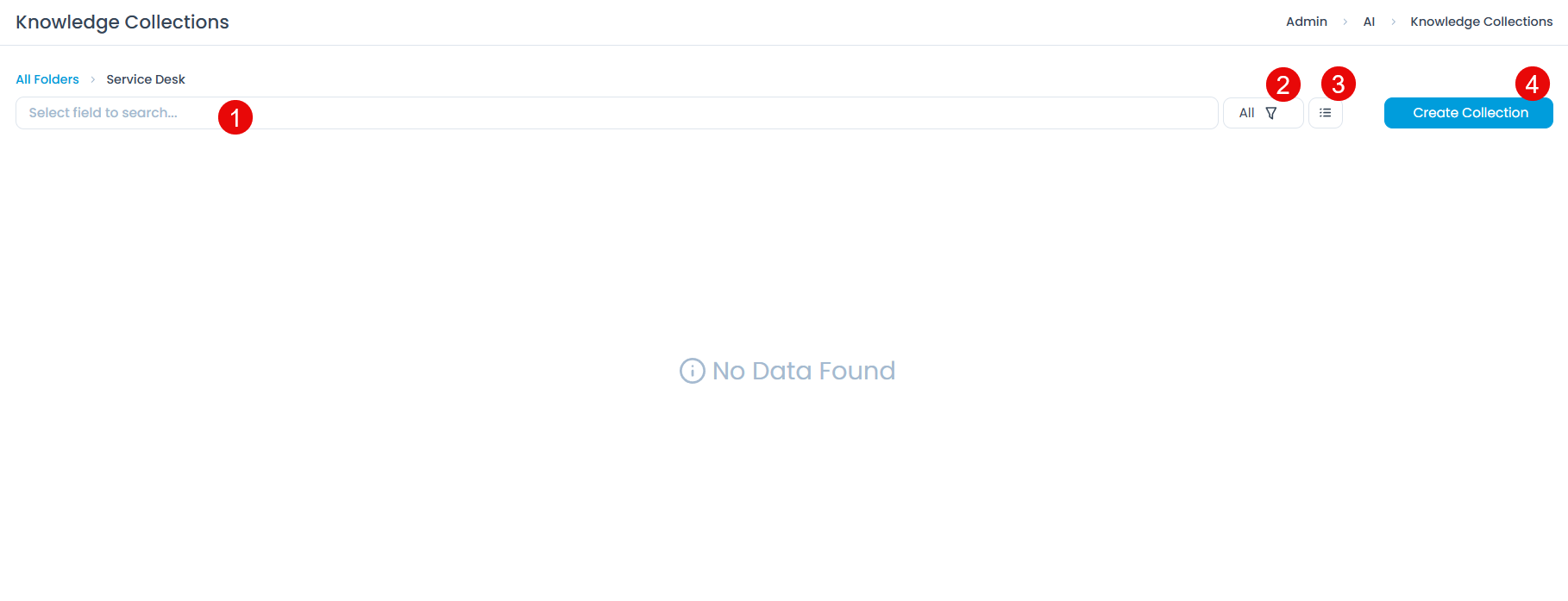
This page provides:
- Search Field: Find existing collections within the folder by name.
- Filter Options: Toggle between active (
All) and archived collections (Archive). - View Toggle: Switch between card view (default) and list view.
- Create Collection Button: Opens the Create Collection dialog.
Creating a Collection
Click Create Collection. The dialog appears.
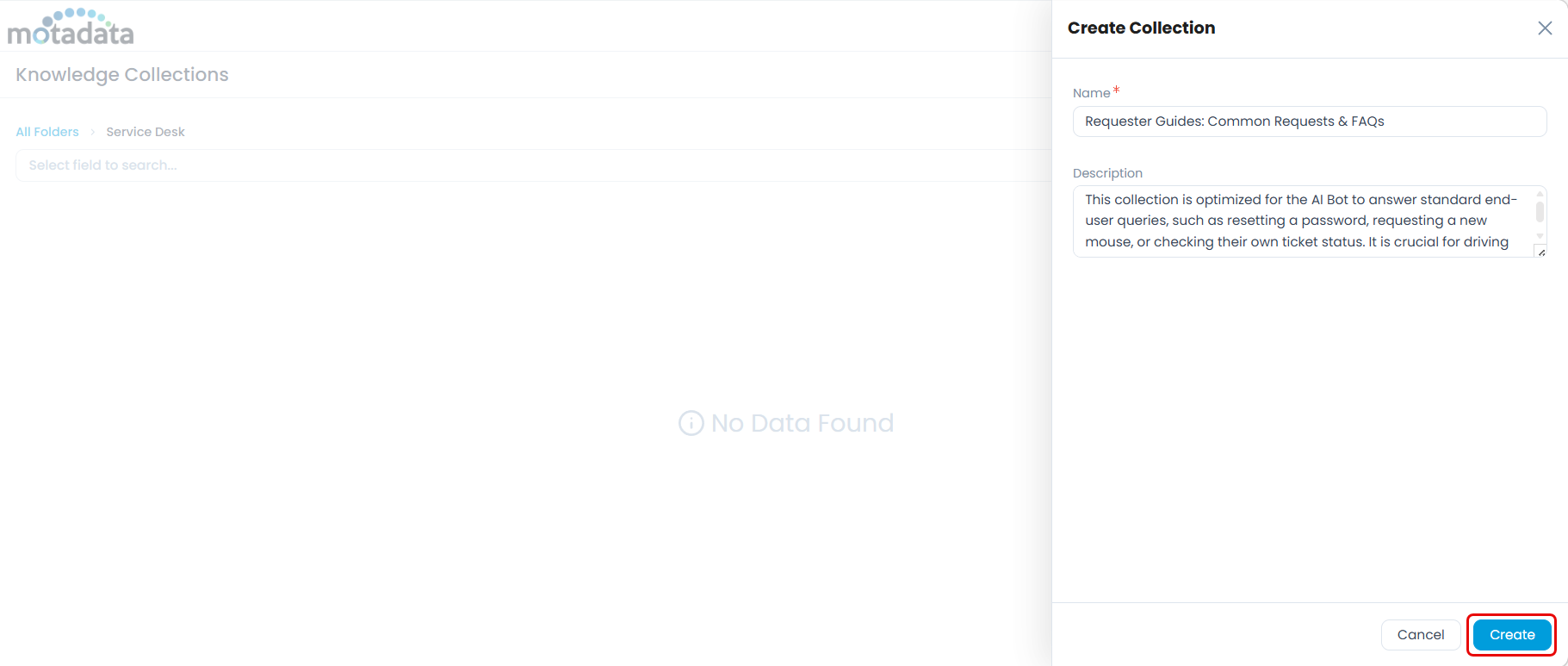
Enter the following:
- Name (Mandatory): Use a descriptive name that reflects the collection's purpose. For example,
Requester Guides: Common Requests & FAQs. - Description (Optional): Briefly explain what this collection covers and which agent or use case it supports.
- Name (Mandatory): Use a descriptive name that reflects the collection's purpose. For example,
Click Create. The collection appears in the list in an active state.
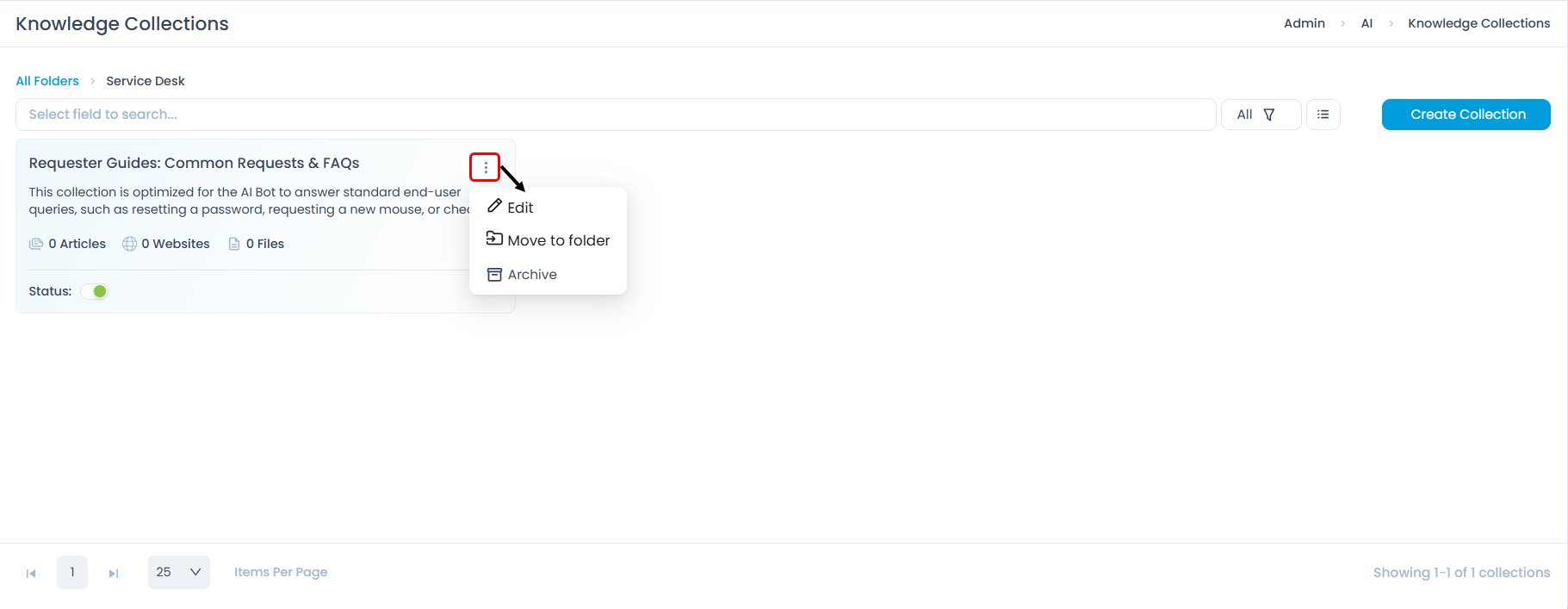
A newly created collection is enabled by default. You can disable it using the toggle on the collection card if you want to build it out before making it available to agents.
Managing Existing Collections
Each collection card provides the following actions:
Edit: Update the collection name or description.
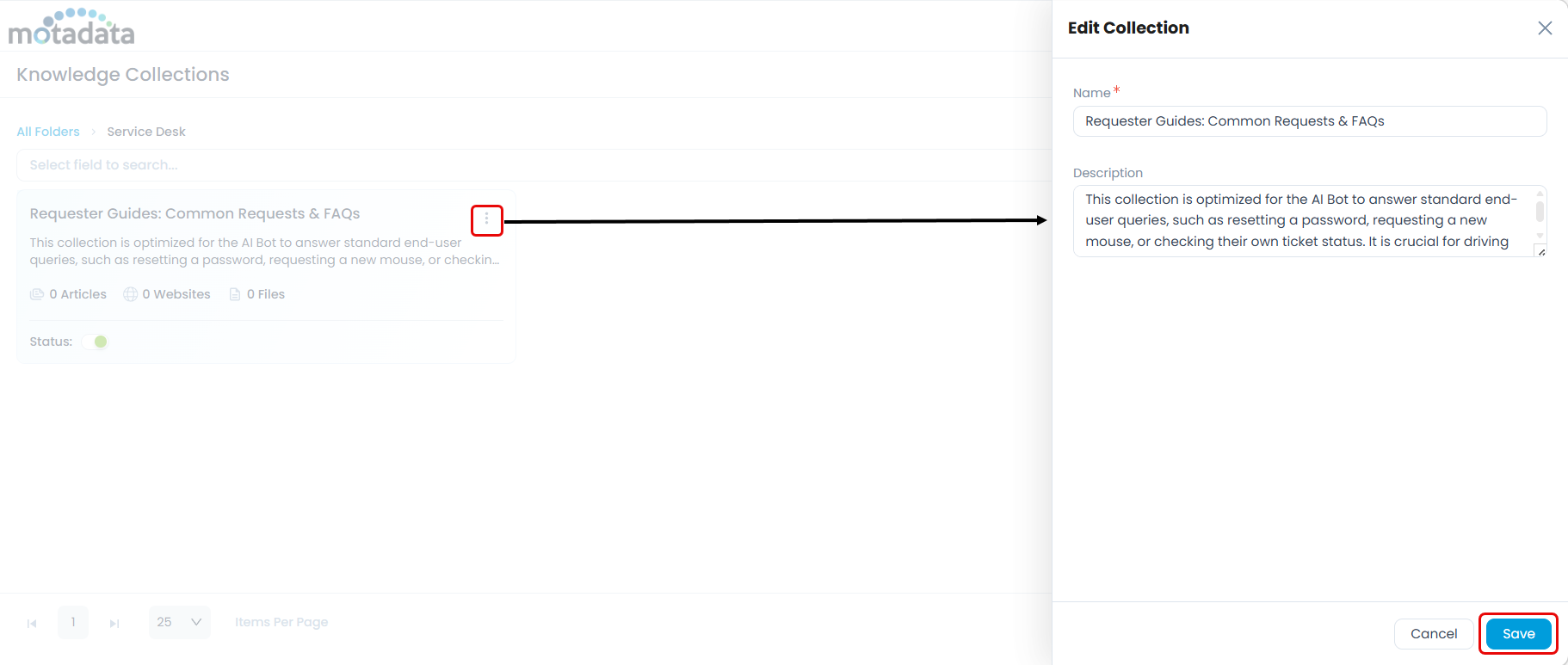
Move to Folder: Relocate the collection to a different folder.
Archive: Removes the collection from active use. Archived collections are not deleted and can be restored.
To manage archived collections, select the Archive filter on the folder's list page. From the three-dot menu on an archived collection appears:
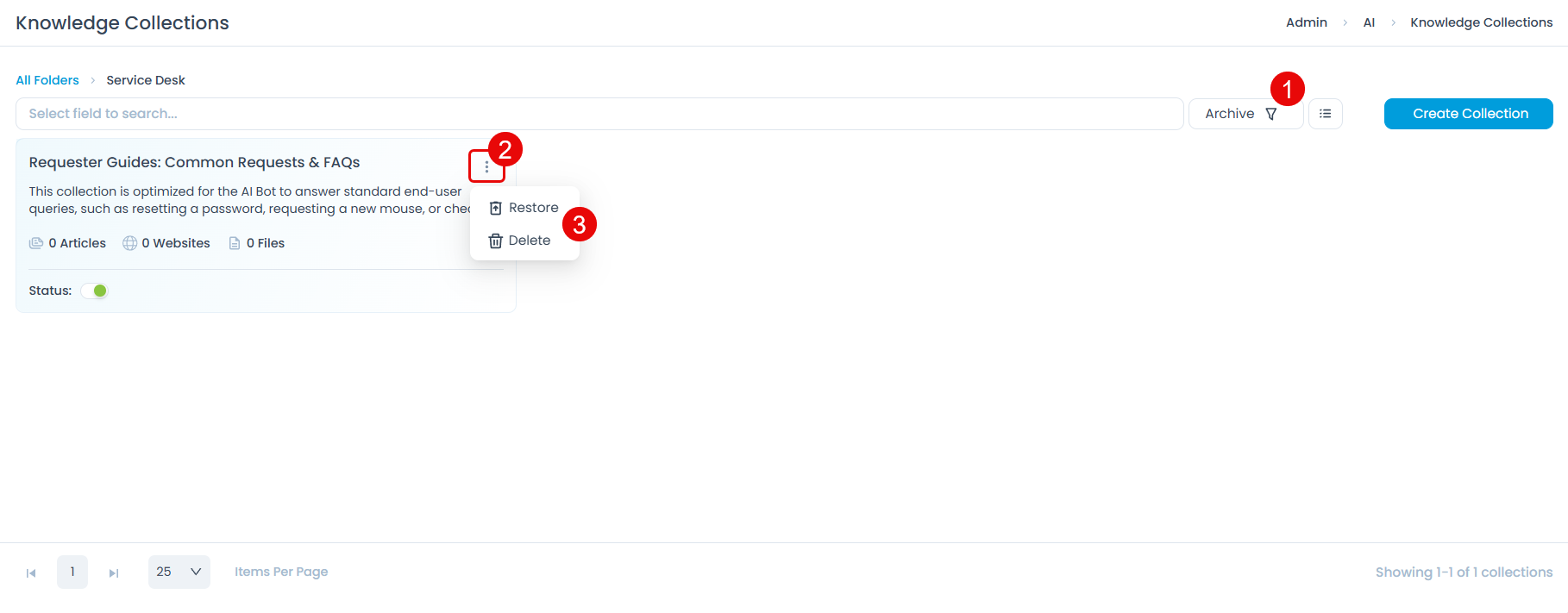
Restore: Returns the collection to the active list.
Delete: Permanently removes the collection and all its sources. This action cannot be undone.
Next Step
Once the collection is created, add knowledge sources to it. See Adding Knowledge Sources.