Testing a Knowledge Collection
Validate that your knowledge collection retrieves the right information before attaching it to an AI agent.
After adding knowledge sources such as articles, files, or websites, use the Test Collection feature to simulate how an AI agent will search and retrieve content. This helps you find gaps, tune retrieval parameters, and confirm the collection is ready for use.
Accessing Test Collection
Open a knowledge collection and click Test Collection in the header. The test panel appears on the right.
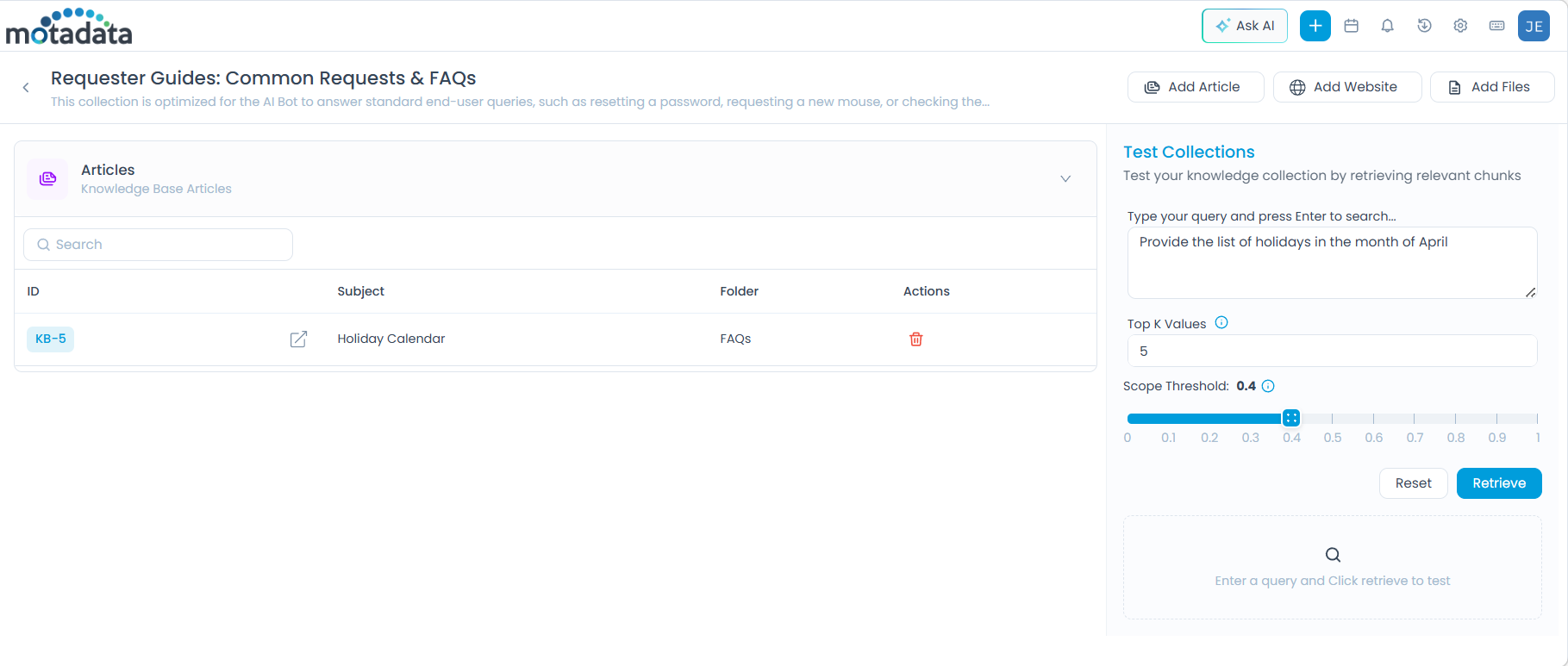
Test Parameters
Configure the following before running a test:
| Parameter | What It Controls | Default | Range |
|---|---|---|---|
| Query Input | The test question, written as a user would ask it | — | — |
| Top K Values | Maximum number of content chunks retrieved | 5 | 0–100 |
| Scope Threshold | Minimum similarity score a chunk must meet to be returned. Higher = stricter relevance | — | 0–1 |
Action buttons:
- Retrieve: Runs the query and displays matching chunks with their similarity scores.
- Reset: Clears the query and returns parameters to defaults.
Choosing the Right Threshold
The Scope Threshold is the most impactful parameter to tune:
| Threshold Range | Effect | Best For |
|---|---|---|
0.3 – 0.5 | Returns more results, lower precision | Broad exploratory queries |
0.5 – 0.7 | Balanced relevance | General-purpose agents |
0.7 – 1.0 | High precision, fewer results | Specific factual queries |
Start with a threshold of 0.5 and adjust based on what the results show. If you're getting irrelevant chunks, increase the threshold. If you're getting no results, lower it.
Test Examples
Example 1: Article Source
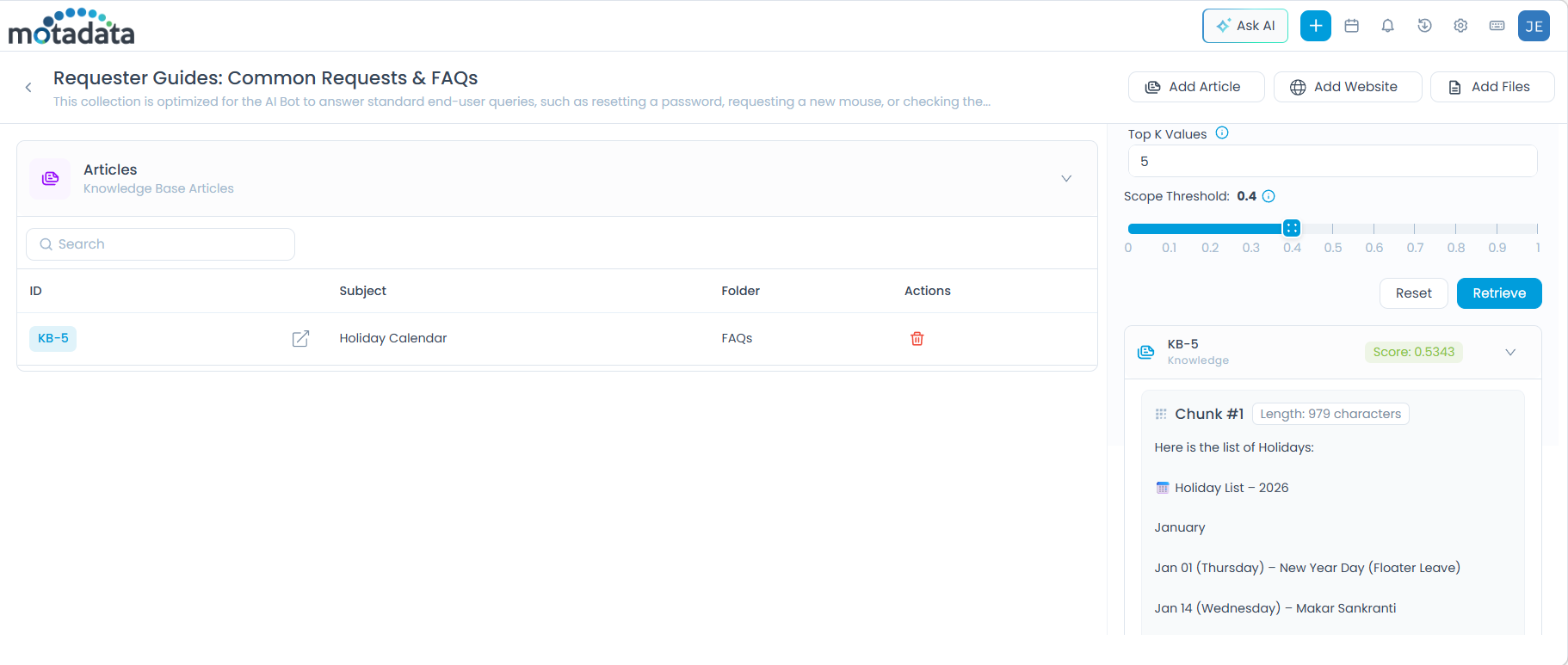
Scenario: A "Holiday Calendar" article (KB-5) has been added to the collection.
- Query:
Provide the list of holidays in the month of april - Top K Values:
5 - Scope Threshold:
0.4
Click Retrieve. The system returns relevant chunks from KB-5 with similarity scores.
Example 2: File Source
Scenario: A file named Patch Management for Air Gap Networks v1.1.pdf has been uploaded.
- Query:
how to setup airgapped network for patch management? - Top K Values:
5 - Scope Threshold:
0.8
Click Retrieve. The system returns matching chunks from the PDF.
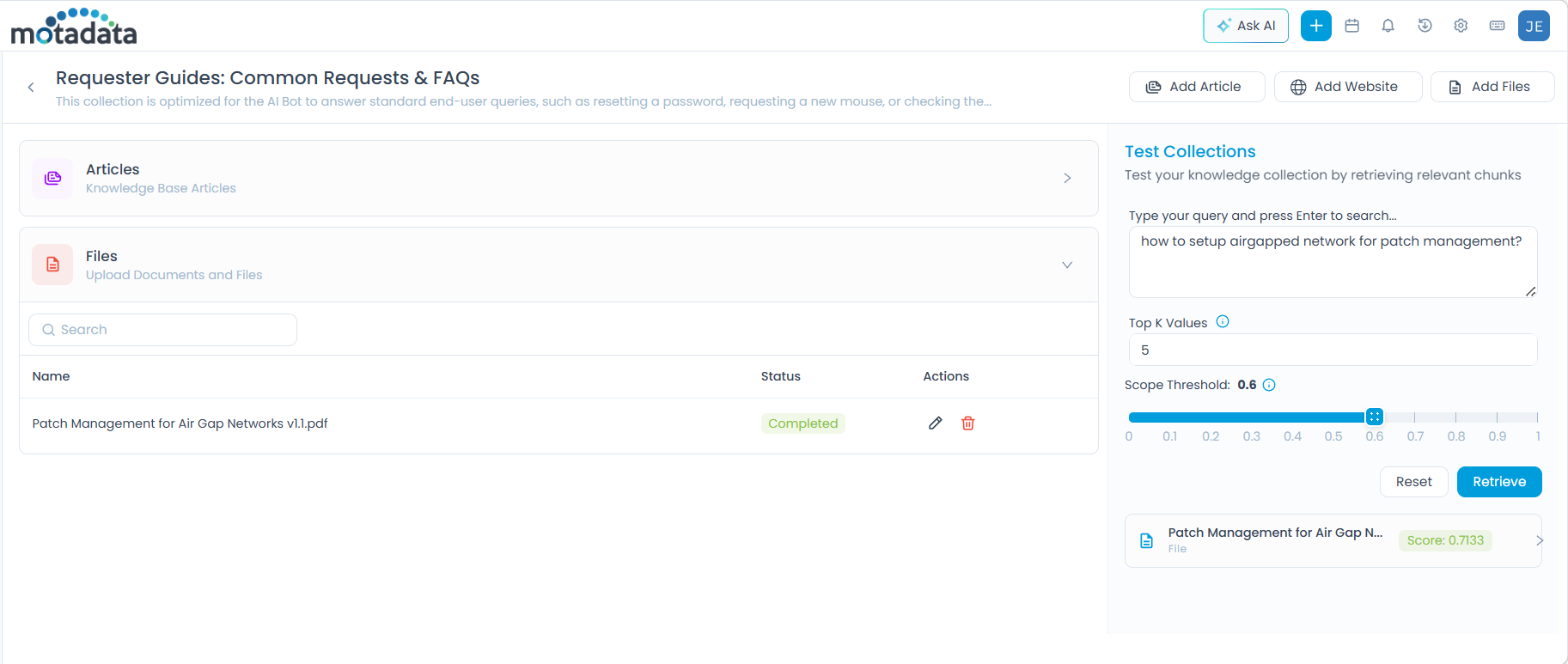
A higher threshold is used here because the query is specific — only highly relevant chunks should be returned.
Example 3: Website Source
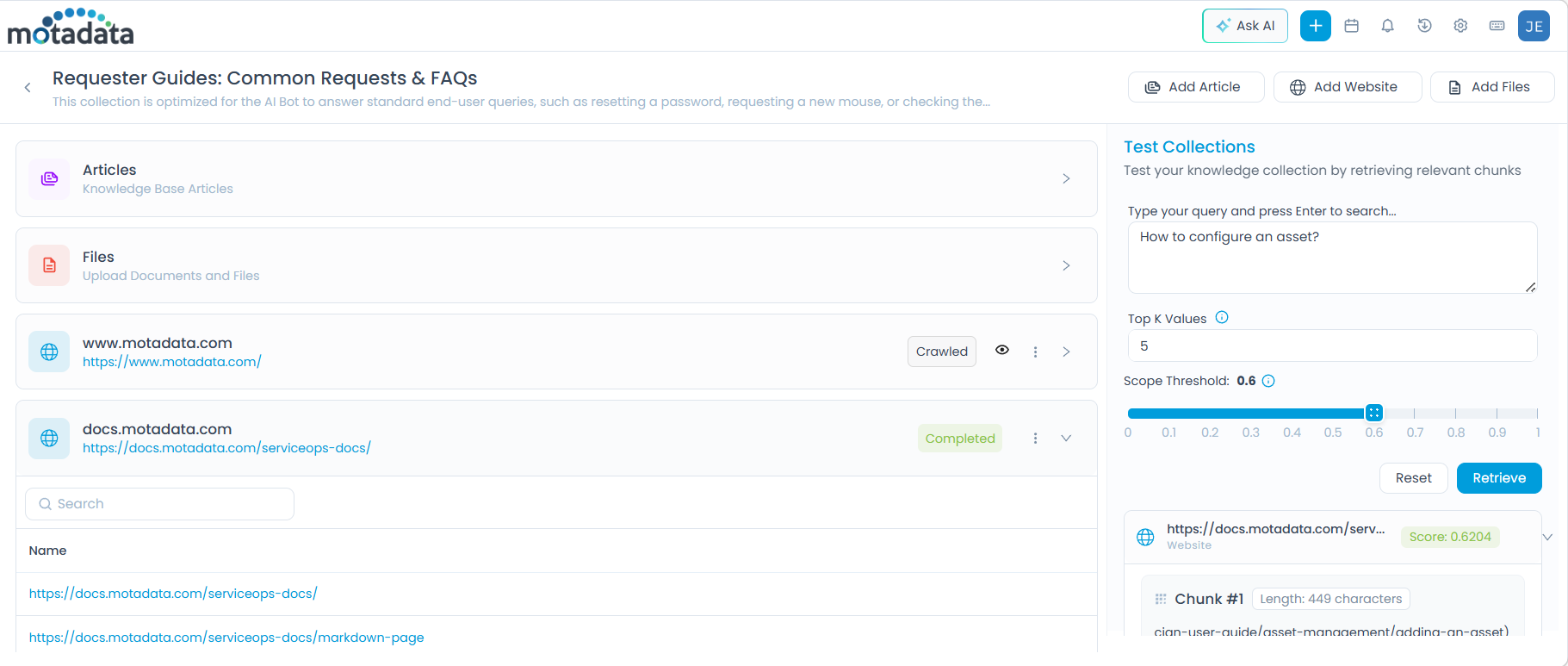
Scenario: The website docs.motadata.com/serviceops-docs/ has been crawled and added.
- Query:
How to configure an asset? - Top K Values:
5 - Scope Threshold:
0.6
Click Retrieve. The system returns matching chunks from the crawled website pages.
What to Do After Testing
| Result | Action |
|---|---|
| Relevant chunks returned with good scores | Collection is ready, attach it to an AI agent via AI Studio. |
| No results returned | Lower the Scope Threshold, or verify the source was indexed correctly. |
| Irrelevant chunks returned | Increase the Scope Threshold, or review chunk size settings on the source. |
| Partial results | Add more sources or review content gaps in existing articles or files. |