Sentiment Analysis
ServiceOps Sentiment Analysis reads the tone of every ticket automatically so technicians can prioritize urgent situations, respond with the right empathy, and never miss a frustrated user buried in the queue.
Not every support ticket carries the same emotional weight. A user calmly reporting a minor bug is very different from one who has been dealing with repeated failures and is running out of patience. The Sentiment Analysis feature in ServiceOps tells you which is which, automatically. It evaluates the tone of a record based on its text, classifies it as Positive, Negative, or Neutral, and displays that context right in the record header so technicians can adjust their approach before they even start typing a reply.
- Sentiment Analysis is enabled by default. No additional configuration is required to start using it.
- Ensure you have the Manage Text Intelligence permission assigned to your role to access this feature.
- Contact your administrator if the feature is not visible.
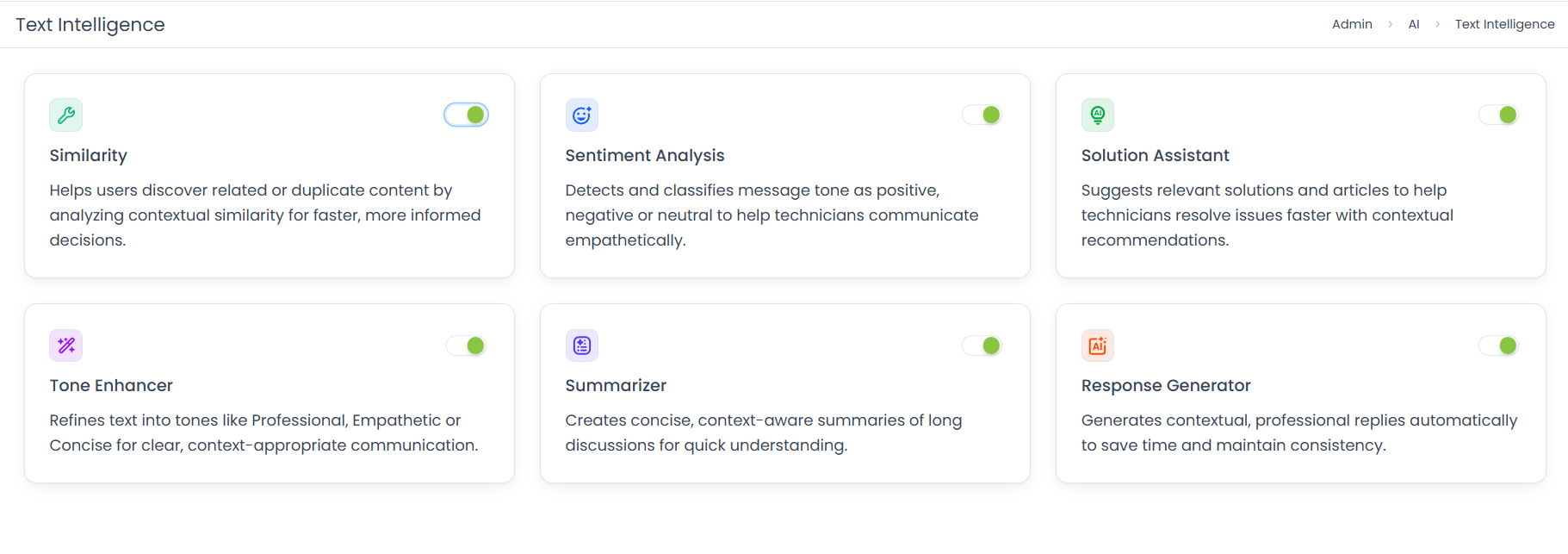
How It Works
Sentiment Analysis evaluates the Subject, Description, Requester conversations, and Feedback of a record using AI-based natural language processing to determine the overall emotional tone. It classifies the result as Positive, Negative, or Neutral and displays it as an icon in the record header. Sentiment is assigned automatically when a record is created and recalculated every time the record is updated, so it always reflects the most recent tone of the conversation.
Business Use Cases
Prioritizing a Frustrated User: A technician opens the queue and spots a Negative sentiment icon on a ticket. Without reading the full thread, they know this user is frustrated and move it to the top of their list, preventing the situation from escalating further.
Adjusting Communication Tone: Before responding to a Negative ticket, a technician uses the sentiment classification as a cue to lead with empathy and acknowledgement rather than jumping straight into technical steps, improving the quality of the interaction.
Spotting Escalation Risk Early: A ticket that started as Neutral turns Negative after two failed resolution attempts. The sentiment shift alerts the technician to escalate before the user contacts management directly.
Supporting New Technicians: A new technician, unsure how to approach a sensitive ticket, uses the Negative sentiment classification as a guide to choose a more careful, empathetic tone in their reply, reducing the risk of making the situation worse.
Where Sentiment Analysis Appears
The sentiment classification appears directly inside the record, giving technicians immediate context without any extra steps.
Once a record is opened, a sentiment icon appears in the header section. Hovering over the icon shows the current classification:
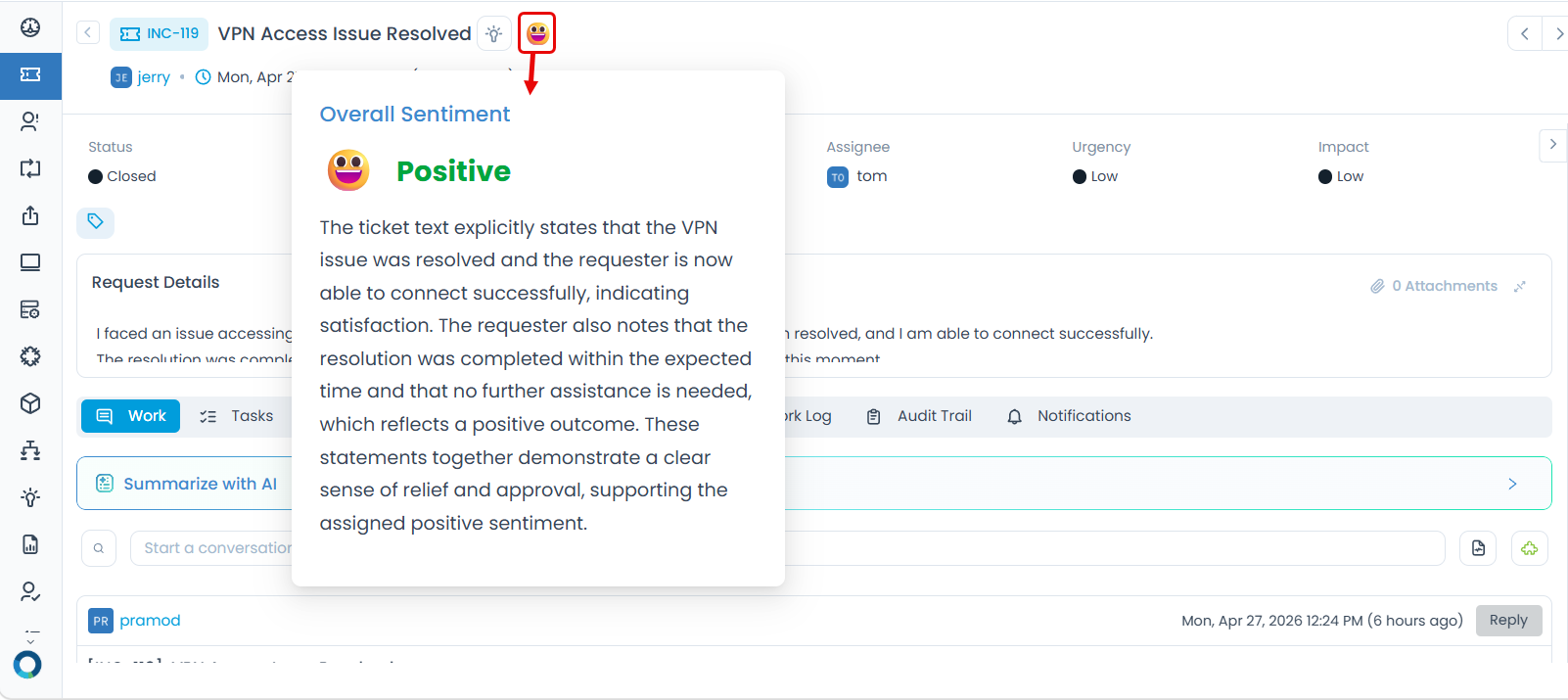
- Positive: 😀 The user's tone is calm, satisfied, or constructive.
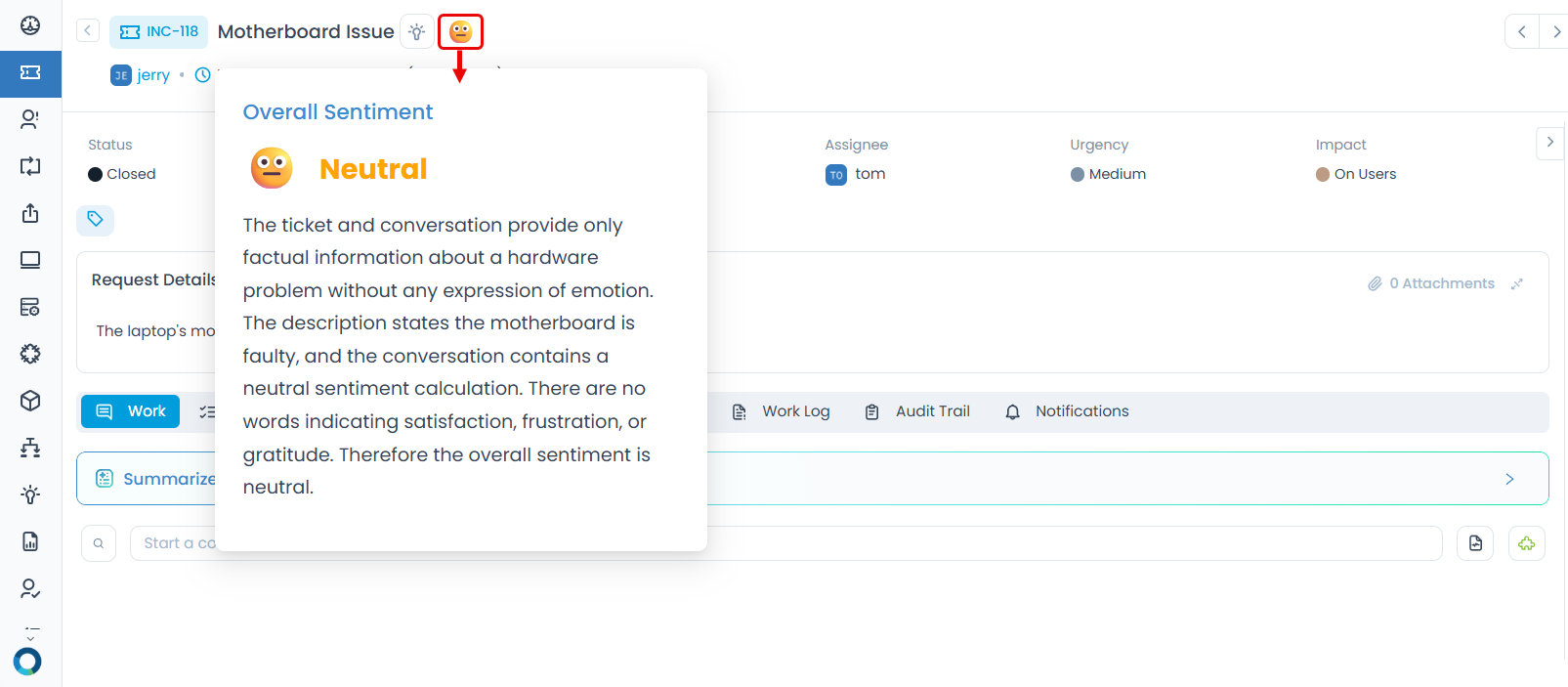
- Neutral: 😐 The message is factual and describes an issue without emotional language.
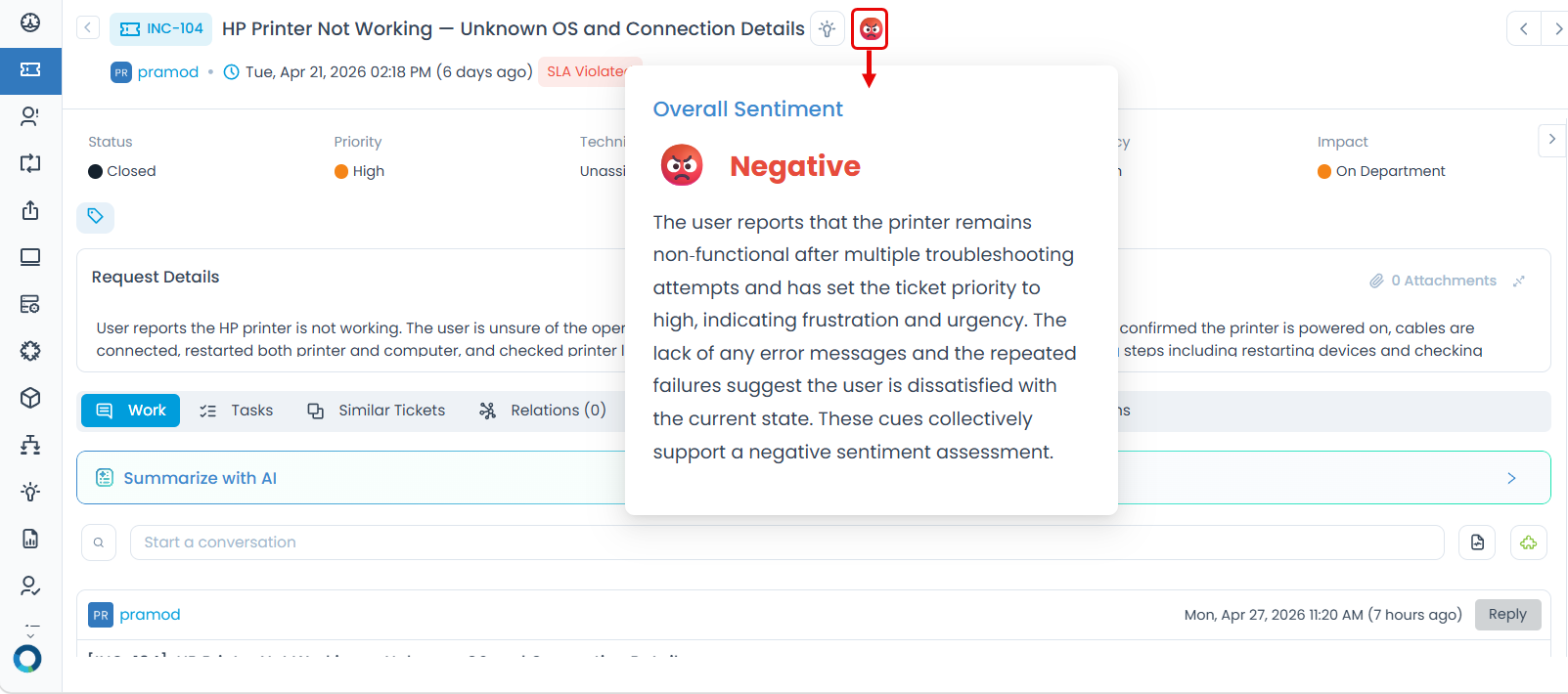
- Negative: 😠 The tone reflects urgency, frustration, or dissatisfaction.
The screenshots below show how each classification appears in a real record.
Neutral Sentiment
A request such as "Motherboard Issue" describes an issue without any emotional context and is classified as Neutral.
Positive Sentiment
A request such as "VPN Access Issue Resolved" reflects satisfaction and is classified as Positive.
Negative Sentiment
A request such as "HP Printer Not Working — Unknown OS and Connection Details" signals urgency and frustration is classified as Negative.
Tips for Best Results
- Check sentiment before you respond: A Negative classification is a signal to lead with empathy and acknowledgement before jumping into technical steps.
- Do not rely on sentiment alone: Use it as a first read, then look at the full description and conversation history before deciding how to prioritize or respond.
- More text means better accuracy: Sentiment is more reliable when records include a detailed description. A one-line subject gives the system less to work with.
- Watch for sentiment shifts: Because sentiment recalculates every time a record is updated, a ticket that started Neutral may turn Negative after a few frustrating exchanges.
- Use Negative sentiment as an early warning: If a ticket comes in Negative right from the start, treat it with extra urgency, the user has already past the point of patience. If it turns Neutral, it means the issue has been resolved or the user has calmed down.
Related Features
Once you understand the emotional context of a ticket using Sentiment Analysis, these features help you act on it:
| Feature | How it connects to Sentiment Analysis |
|---|---|
| Tone Enhancer | Use it to adjust the tone of your reply to match what the sentiment requires: empathetic for Negative, professional for Neutral, friendly for Positive. |
| Response Generator | Generates contextual replies based on the ticket content. Pair it with sentiment to ensure the generated response matches the user's emotional state. |
| Ticket Summarizer | If a Negative ticket has a long conversation history, use Summarizer to quickly understand what went wrong before you respond. |
Permissions Reference
| Role | Can see sentiment icon on records | Can enable or disable Sentiment Analysis |
|---|---|---|
| Technician | Yes | No |
| Administrator | Yes | Yes |
Troubleshooting
The sentiment icon is not showing on a record.
The sentiment classification looks wrong for my ticket.
Sentiment is not updating after I add a reply or note.
The feature was working before but the icon has disappeared.
Disabling Sentiment Analysis preserves the icon on existing tickets but prevents it from appearing on any new tickets until the feature is re-enabled.
Frequently Asked Questions
Does Sentiment Analysis change the priority of a ticket automatically?
A: No. It only displays the classification. Technicians decide what action to take based on it. Priority changes must be made manually.
Is sentiment calculated only once when the ticket is created?
A: No. Sentiment is recalculated every time the record is updated, so it reflects the most recent tone of the conversation.
Which parts of the ticket does Sentiment Analysis read?
A: It analyzes the Subject, Description, Requester conversations, and Feedback. Internal notes and technician-only content are not factored in.
What happens if a ticket has mixed tone — partly positive, partly negative?
A: The system determines an overall sentiment based on the full content. In mixed cases, the dominant tone at the time of the last update will be reflected.